Best Buy Credit Card Rewards, Fees, Financing, and the Best USA Alternatives
The Best Buy credit card pays 5% back in rewards on Best Buy purchases. You can pick special financing instead, but not both on the same purchase. It suits people who shop at Best Buy often and pay the bill in full. It costs more than it earns if you carry a balance.
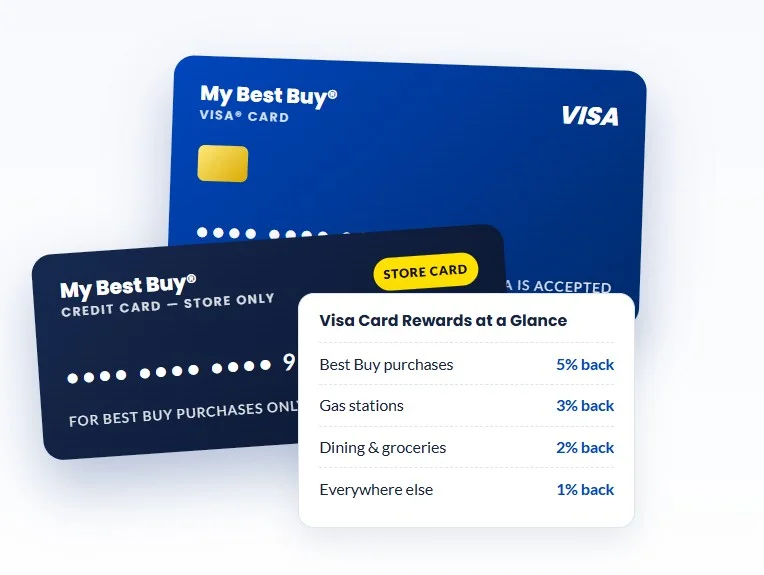
Best Buy card quick facts
| Detail | Current terms |
| Issuer | Citibank, N.A. |
| Annual fee | $0 to $59, based on creditworthiness |
| Rewards at Best Buy | 5% back with Standard Credit, 6% for Plus or Total members |
| Rewards elsewhere | Visa only: 3% gas, 2% grocery and dining, 1% other |
| Financing | 12 months on $299 and up, 18 months on $499 and up, 24 months on $699 and up |
| Purchase APR | Store card 27.99% to 30.99% variable, Visa 14.49% to 30.99% variable |
| Foreign transaction fee | None on the Visa |
| Customer service | 1-888-574-1301, open 24 hours |
Is the Best Buy Credit Card Worth it?
It is worth it if you buy tech at Best Buy often and pay the full balance each month. Your rewards then work like a 5% discount on your next Best Buy order.
It is not worth it if you carry a balance. The store card APR runs from 27.99% to 30.99% variable. A $1,000 balance held for a year costs roughly $280 in interest. A $1,000 purchase earns only $50 in rewards. Interest can cost more than five times the reward.
It is also a weak fit if you rarely shop at Best Buy. The rewards only work there. NerdWallet says a general rewards card suits most people better.
Rewards calculator — estimate your earnings
Enter your monthly spending. Uses only the rates stated on this page: up to 6 points per $1 at Best Buy (≈5–6% back in certificates), 3% back in points on gas and groceries (Visa), 0.5% elsewhere (Visa).
Estimates only. Points convert to certificates in set increments, certificates expire and points vest — verify with the issuer.
Which Best Buy card will you get?
Citi issues three versions. You do not pick one. NerdWallet reports that Best Buy reviews your application in this order: Visa Platinum, store card, then Visa Gold.
- My Best Buy Visa Platinum: $0 annual fee. Works anywhere Visa is accepted.
- My Best Buy Credit Card (store card): $0 annual fee. Works only at Best Buy and BestBuy.com.
- My Best Buy Visa Gold: $59 annual fee. Works anywhere Visa is accepted.
Gold is the version that surprises people. At 5% back, you must spend about $1,180 at Best Buy each year to earn back the $59 fee. Read your offer closely before you accept it.
How Do The Rewards Work?
You earn 2.5 points per $1 at Best Buy when you choose Standard Credit. That equals 5% back. Every 250 points becomes a $5 reward certificate. So $100 earns $5. Here is an example. A $1,500 laptop earns 3,750 points. That turns into $75 in certificates. Rewards do not include sales tax.
New cardholders can earn 10% on first day purchases made within 14 days of opening the account. You must choose Standard Credit. Only first time approvals qualify, and the offer may not combine with others. On that laptop, 10% would be $150. Plus or Total members earn 6%. Membership gives 1% (0.5 points per $1). The card adds 5%. Best Buy calculates the two separately.
You can bank points and redeem them later. Citi says points also work for gift cards at other top merchants. If you close the account and you are not a Plus or Total member, banked points become reward certificates. The My Best Buy program terms cover the details.
For questions about points, call Best Buy Customer Care at 1-888-237-8289.
Do you get rewards and financing on the same purchase?
No. At checkout you pick one. Standard Credit earns points. Financing gives you time to pay. Points only post when you choose Standard Credit.
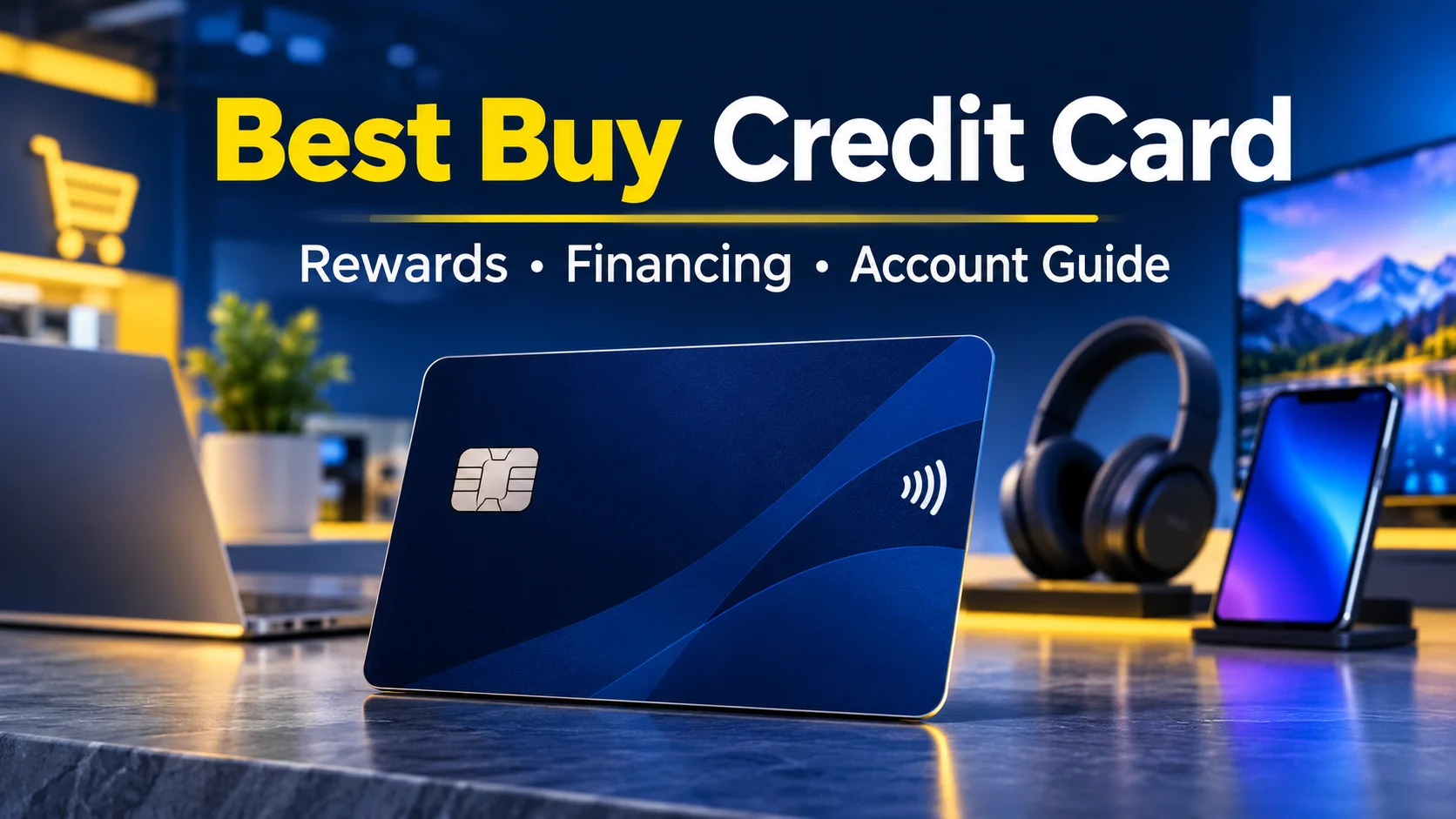
What does the Visa earn outside Best Buy?
| Feature | My Best Buy Visa | Store card |
|---|---|---|
| Where it works | Anywhere Visa is accepted | Best Buy only |
| Best Buy purchases | 5% | 5% |
| Gas stations | 3% | None |
| Grocery stores, restaurants, bars | 2% | None |
| Other purchases | 1% | None |
| Foreign transaction fee | None | Not applicable |
The 1% rate means 1 point per $2. Categories follow how each merchant codes the sale. A store may not count as a grocery store.
Compare that with a flat 2% cash back card. Outside Best Buy, only gas beats it. Grocery and dining match it. Everything else pays half.
How does Best Buy financing work?
As of November 10, 2026, Best Buy lists three storewide plans on the financing details page.
| Plan | Minimum purchase | Offer status |
|---|---|---|
| 12 months | $299 | Ongoing |
| 18 months | $499 | Ends December 25, 2026 |
| 24 months | $699 | Ends December 25, 2026 |
Best Buy also lists 24 months on unlocked phones of $649 and up.
Best Buy words these offers as no interest if paid in full. That is deferred interest. If any balance remains when the term ends, interest is charged from the purchase date.
Here is an example. You buy a $1,200 TV on the 12 month plan. You need to pay $100 a month to clear it. Say you pay only $50 a month. You still owe $600 at the end. Interest from day one at about 28% could add roughly $250. That is an estimate, not a quote.
The CFPB warns that the minimum payment alone usually will not clear the purchase in time. NerdWallet reports CFPB data showing about 20% of these offers were not paid off in time in 2020.
Follow these steps to stay safe:
- Divide the price by the number of months. Round up.
- Pay that amount every month, not the statement minimum.
- Find the payoff date on your statement. The CFPB says issuers must show it on the front of the bill.
- Remember that several plans can run at once. Each has its own end date.
- Check the plan at checkout. Best Buy defaults to the longest term, but you can choose another.
A true 0% APR card works differently. It does not charge back interest. The CFPB has urged retailers to consider more transparent promotions.
What are the APR and fees?
Best Buy lists these rates for the last 30 days. Your offer shows your exact rate.
- Store card purchase APR: 27.99% to 30.99% variable, or 6.00% to 24.34% non variable.
- Visa purchase and balance transfer APR: 14.49% to 30.99% variable, or 9.00% to 20.24% non variable.
- Cash APR: 29.74% to 29.99% variable, or 9.00% to 26.24% non variable.
- Balance transfer fee: $15 or 5% of the transfer, whichever is greater.
- Cash advance fee: $10 or 5% of the advance, whichever is greater.
- Minimum interest charge: up to $2.
- Annual fee: $0 to $59.
Balance transfers and cash advances apply to the Visa. They cost a lot, so skip them.
What credit score do you need for the Best Buy credit card?
Citi and Best Buy do not publish a minimum score. NerdWallet notes that store cards are easier to get than open loop cards. It also says a version with an annual fee is often easier to get with middling credit.
Some credit sites guess about 640 for the store card and about 700 for the Visa. Treat those numbers as rough. Income and debt also matter.
Can you prequalify without a credit check?
Yes. Best Buy offers a prequalify tool on its card page. It says the check has no impact to your credit score. A prequalify result is not a guarantee of approval.
Does applying hurt your credit score?
A full application triggers a hard inquiry. It often appears as BBY/CBNA on your report, according to Credit Karma. A hard inquiry stays on your report for up to two years. WalletHub says it can lower your score by about five points.
On time payments and low balances help your score over time.
How do you apply for the card?
- Check your credit score and your yearly Best Buy spending.
- Prequalify on the Best Buy card page.
- Apply online or in a Best Buy store.
- Read the version, APR and fee in your offer.
- Register the card with Citibank Account Online.
- Choose Standard Credit on your first day purchases if you want the 10% offer.
Check your application status online or call 1-888-574-1301.

How do you pay your Best Buy card bill?
You have two separate accounts. Your Best Buy account holds orders, points and member offers. Citibank Account Online manages the card itself. You pay bills, view statements and request a credit line increase there.
Best Buy lists five ways to pay:
- Online: Sign in to Citibank Account Online from the Best Buy card page.
- Phone: Call 1-888-574-1301. Have your account number and a check from a U.S. bank ready. The automated system charges no fee.
- Text: Send PAY to 81964 from the phone linked to your account. Debit card payments do not work by text. Message and data rates may apply.
- In store: A Blue Shirt can process your payment.
- Mail: Send it to the address on your statement.
Use official pages only. Never share your full card number, password or one time code with any guide site, including this one.
Can you raise your credit limit?
Yes, you can ask. Request an increase in Citibank Account Online. Ask Citi whether the review uses a hard inquiry before you submit. Citi sets your limit from your credit profile.
Is it safe to apply?
Citi issues both versions. Apply only on BestBuy.com, in a Best Buy store or on Citi’s site. Do not enter card or personal details from an unsolicited link or text.
When is another card a better choice?
Choose a flat cash back card if you want rewards you can spend anywhere. Choose a card with a true 0% intro APR if you need time to pay. NerdWallet keeps current lists of both. Terms change, so check each issuer first.
Who should get the Best Buy card, and who should skip it?
Get it if you:
- Shop at Best Buy several times a year.
- Pay the full balance each month.
- Plan a big purchase and can clear a financing plan on time.
Skip it if you:
- Carry a balance from month to month.
- Rarely shop at Best Buy.
- Want rewards you can use anywhere.
- Would end up with the $59 Gold fee and spend less than $1,180 a year at Best Buy.
If you shop for Black Friday deals, run the numbers first. Divide the price by the plan months. Then check that your budget covers it.